HomeLink
Smart Home App — Buy, Install & Control
your connected devices from one place
Project Overview
Client
Pommy
Platform
iOS & Android (React Native)
My Role
Solo Product Designer — end to end, from concept to final UI
HomeLink is a mobile application that transforms any home into a smart home. It unifies three distinct experiences — buying connected devices, installing them, and controlling them daily — into a single, coherent product. I led the full design process solo, from initial UX research to the final UI delivered to development.
The Challenge
The core UX problem: how do you merge three fundamentally different mental models — e-commerce, technical setup, and home automation — into one experience that feels natural?
🛒
Commerce
Discovering and buying connected devices — a retail experience
⚙️
Installation
Configuring a technical device — a guided, step-by-step experience
🏠
Control
Managing the home daily — a dashboard and automation experience
Main UX Risk
Users could feel lost switching between a shopping logic and a home control logic. The challenge was to create a seamless journey across these three modes without jarring transitions.
UX Research & User Persona
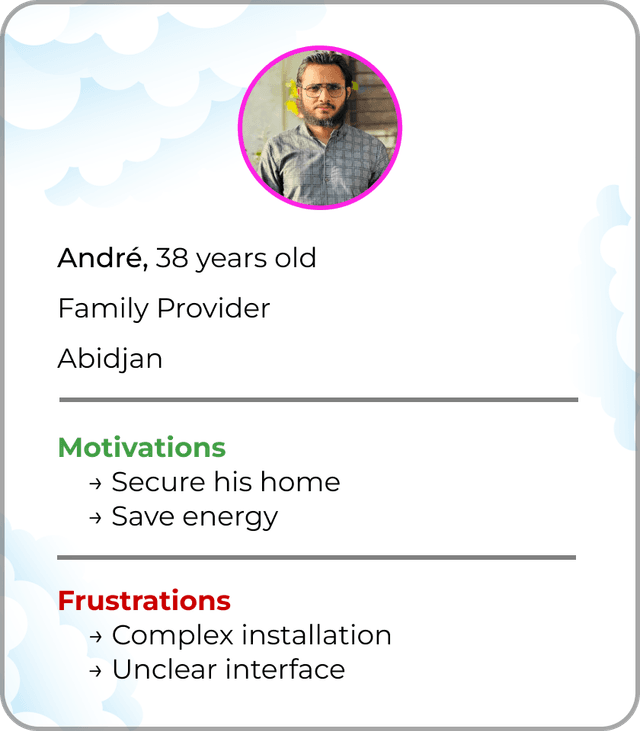
I defined the primary persona to guide every design decision throughout the project.
Primary User
Homeowner or head of household · 30–50 years old
Motivations
Frustrations
User Journey & Information Architecture
I structured the entire experience around a logical four-step cycle that mirrors how users naturally think about their smart home:
🛍️
01
Discover
Browse & buy devices
🔧
02
Install
Guided device setup
📱
03
Control
Dashboard & remote control
⚡
04
Automate
Create smart scenarios
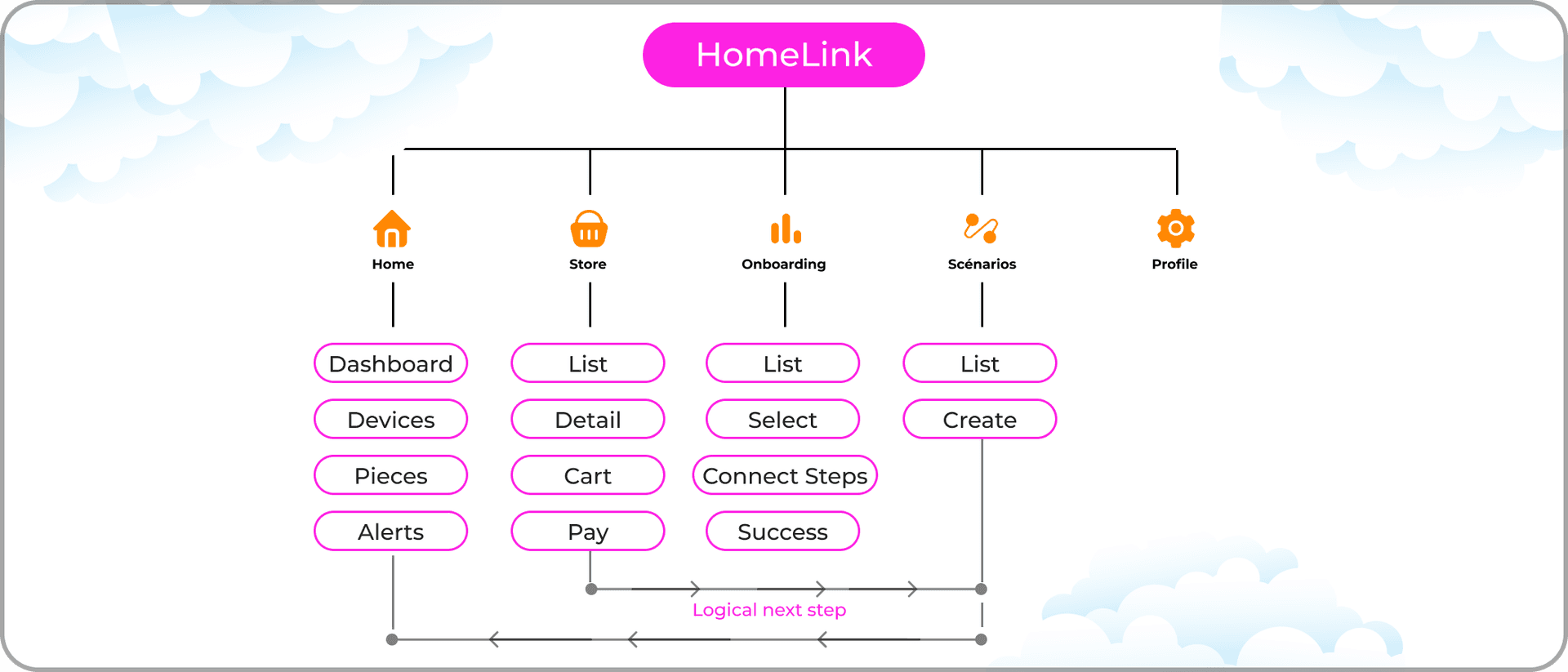
App Architecture — 5 main sections:
🏠
Home
Dashboard — core of the experience
🛒
Store
Discover & buy devices
⚡
Scenarios
Manage automations
🔧
Onboarding
Install new device
👤
Profile
Account & settings
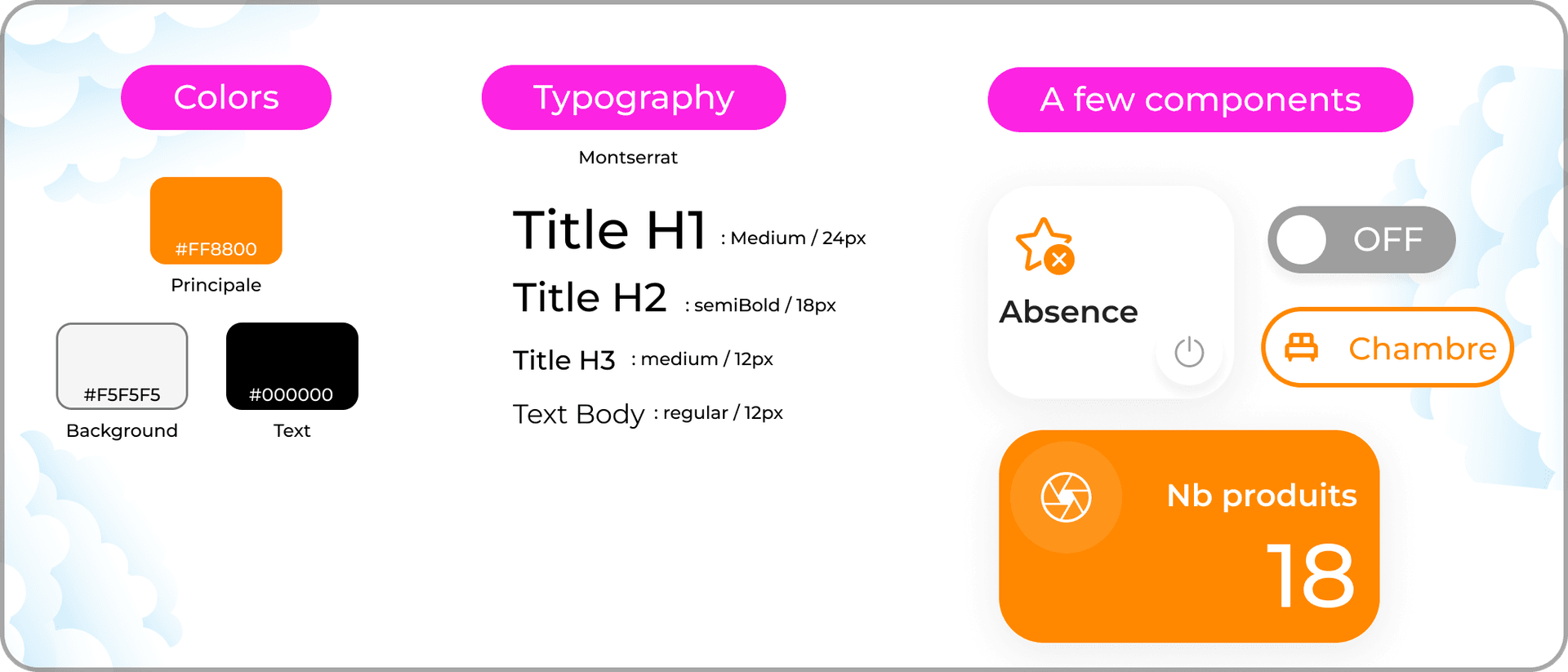
Design Principles & System
Simplicity
Key actions are accessible in 1–2 taps from the Dashboard. No buried menus.
Progressivity
Complex features like automations are presented step by step, never all at once.
Modularity
The interface works equally well with 1 device or 30. It scales gracefully.
Key Screens
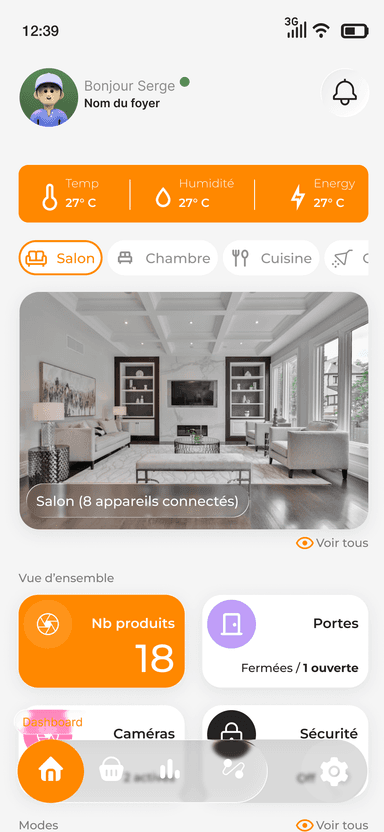
Dashboard — Home Control Hub
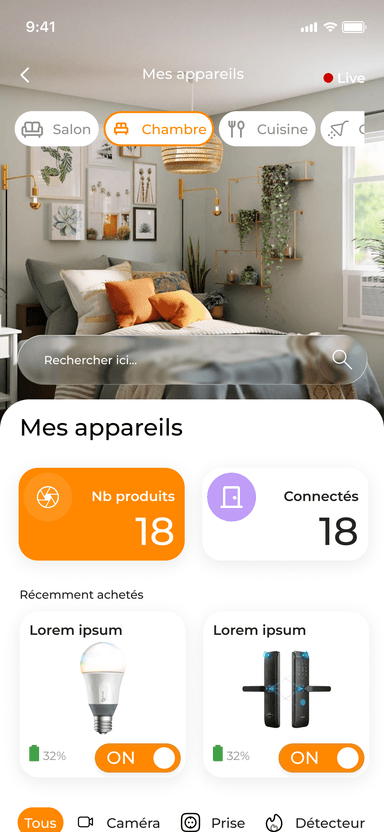
The Dashboard is the heart of HomeLink. At a glance, users see the status of all devices (online/offline, battery low, security alert), control rooms, and trigger their most-used automations. Every critical state is surfaced immediately — no digging required.
Store — Buy Connected Devices
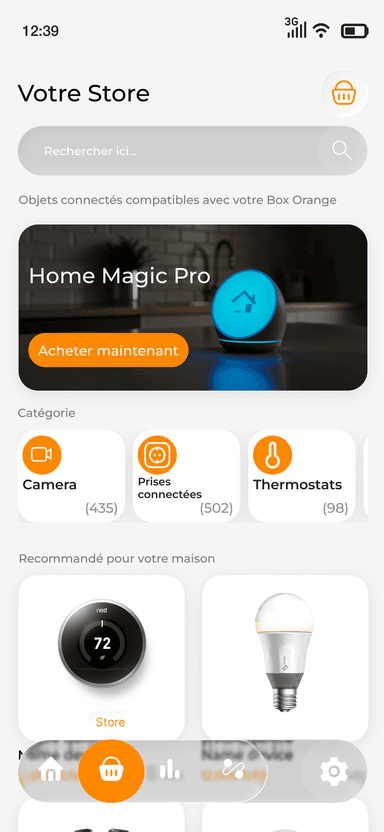
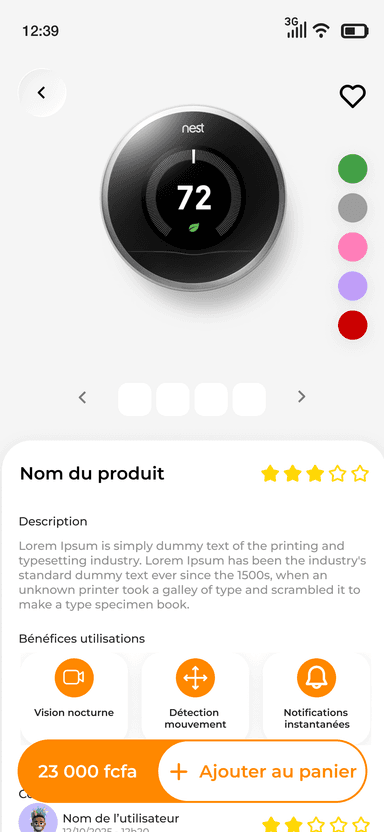
The Store allows users to discover and purchase compatible connected devices directly in the app. After purchase, the app guides them seamlessly into the Onboarding flow — the transition is invisible and intentional.
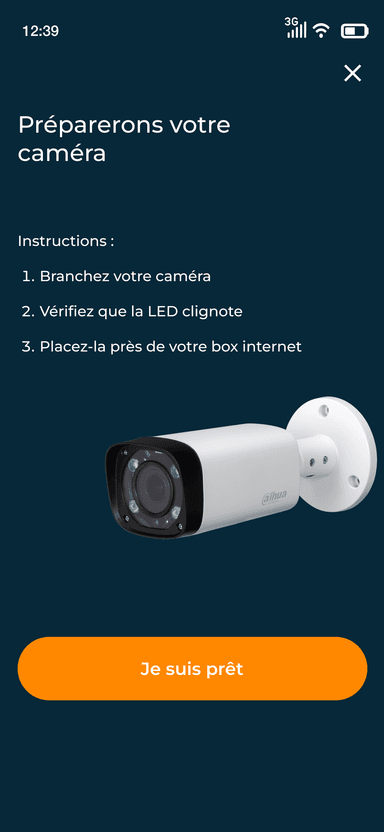
Onboarding — Guided Device Setup
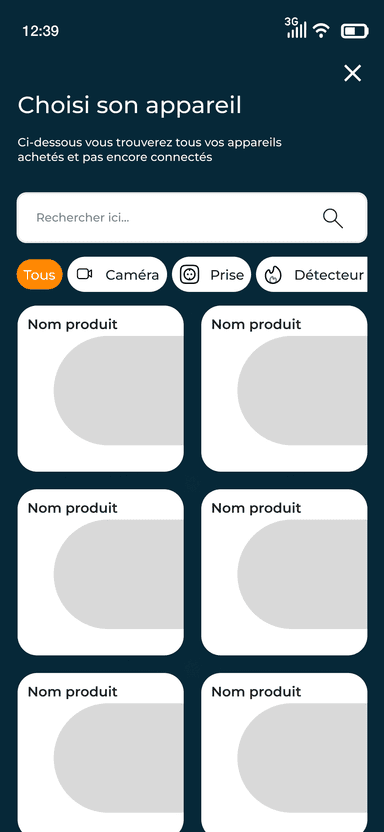
Installing a connected device is typically a pain point for non-technical users. I designed a step-by-step onboarding flow with clear progress indicators, visual instructions, and contextual help — making a complex technical process feel as simple as following a recipe.
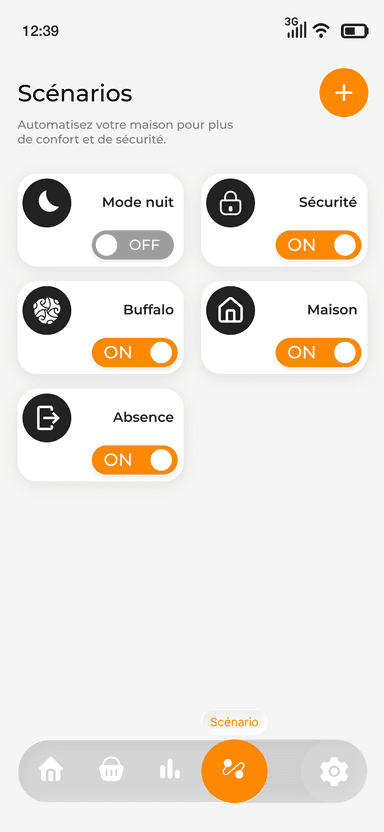
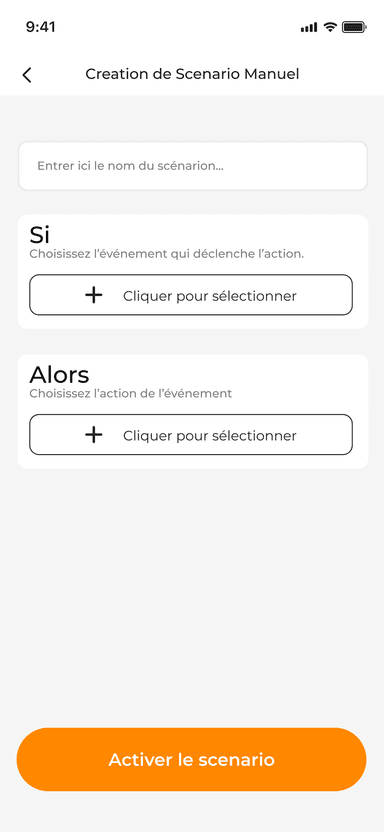
Scenarios — Smart Automations
Automations are the most powerful — and most intimidating — feature of any smart home app. I broke the creation flow into small, digestible steps using plain language and visual cues, so users build confident automations without needing technical knowledge.
System State Management
A smart home app must always communicate what's happening. I designed clear, accessible states for all critical device conditions:
🟢
Device Online
🔴
Device Offline
🔋
Low Battery
🚨
Security Alert
Reflections & Learnings
HomeLink was the most complex product I've designed to date — not because of the visual challenge, but because of the mental model challenge. Merging commerce, installation, and control into one coherent experience required constant user empathy and ruthless simplification. Every screen had to earn its place.
Working solo end-to-end also sharpened my ability to make fast, confident decisions with limited feedback loops — a skill I now consider one of my core strengths for remote work.
Key takeaway
“The best product experiences feel like they were always meant to work exactly that way. HomeLink taught me that getting there requires designing for the user's mental model, not the product's technical structure.”